
Download Pagico – task management, project management, note-taking, calendar integration, productivity suite
Overview
Pagico is a comprehensive desktop application designed to streamline productivity by consolidating task management, project planning, note-taking, and calendar integration into a single workspace. The software targets professionals, freelancers, and teams seeking an all-in-one solution to organize complex workflows without switching between multiple tools. It is particularly suited for individuals managing multiple projects with overlapping deadlines, collaborative tasks, or content creation pipelines.
Pagico Inc. positions the software as a modern alternative to fragmented productivity stacks, emphasizing unified data access and real-time synchronization across devices. The application supports a wide range of use cases, including personal goal tracking, team project coordination, event planning, and content scheduling. While specific details about the developer’s background are not provided beyond the company name, the software’s feature set suggests a focus on user-centric design and cross-functional utility.
The release date of May 15, 2024, indicates a recent update to the product’s capabilities, reflecting current market demands for integrated productivity tools.
Key Features & Capabilities
- Integrated Task Management: Organize tasks with custom fields, due dates, priorities, and recurring schedules. Users can assign tasks to team members, set dependencies, and track progress through visual boards and timelines.
- Project Planning Tools: Create detailed project plans using Gantt charts, milestone tracking, and resource allocation features. The software enables users to break down large projects into manageable phases and assign responsibilities.
- Unified Note-Taking Environment: Store and link notes directly within tasks or projects. Notes support rich text formatting, file attachments, and embedded media for enhanced context and documentation.
- Calendar Integration: Sync tasks and events with native calendar applications. Users can view deadlines and meetings in a unified calendar view, reducing scheduling conflicts and improving time management.
- Template Library: Access over 250 pre-built templates for common workflows such as marketing campaigns, software development sprints, event planning, and personal goal setting.
- Third-Party Integrations: Connect with 100+ external services including email clients, cloud storage platforms, communication tools, and time-tracking apps to extend functionality.
- Centralized Workspace: All data—tasks, notes, projects, and calendars—is stored in one place, enabling seamless navigation and context switching without tab overload.
These features allow users to maintain full visibility over their work, reduce context switching, and improve accountability. For example, a freelance designer can use a project template to manage client deliverables, link research notes, schedule revisions via calendar sync, and track progress using a Gantt chart—all within the same interface. Similarly, a project manager can assign tasks across teams, monitor timelines, and generate reports without relying on external tools.
User Interface, Workflow & Performance
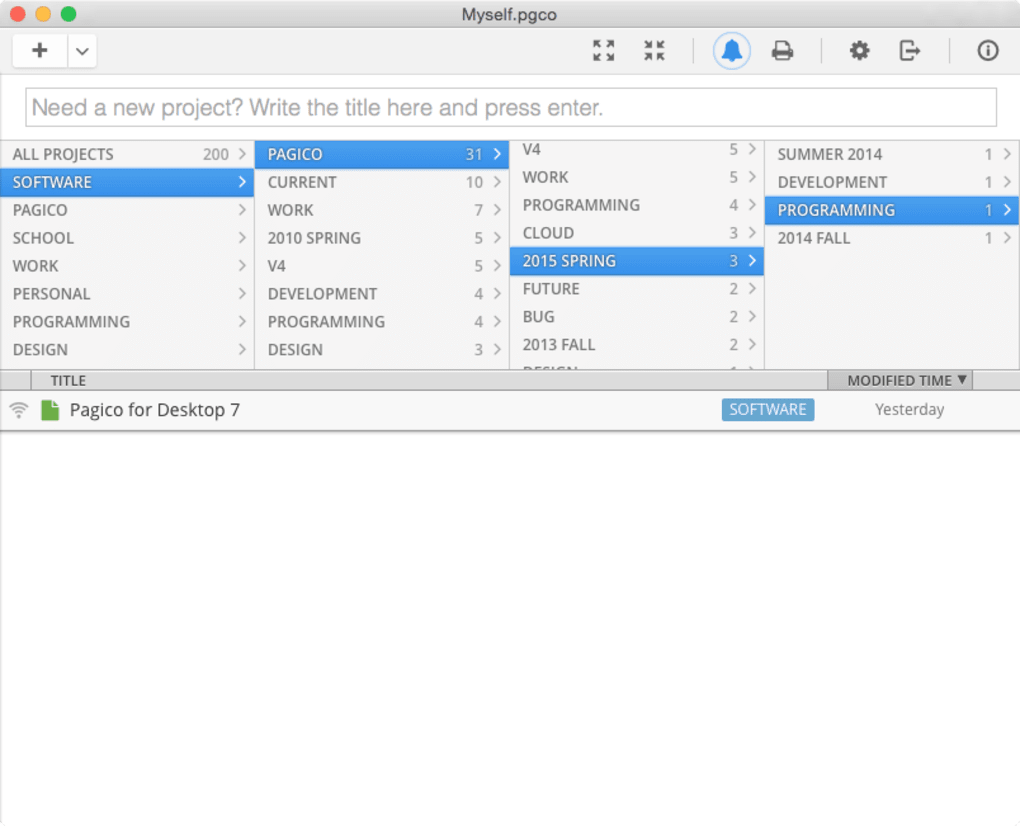
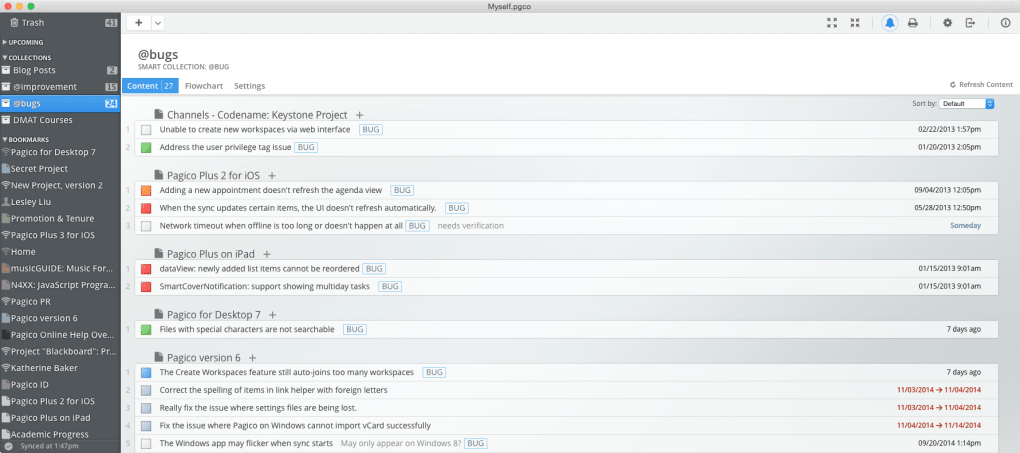
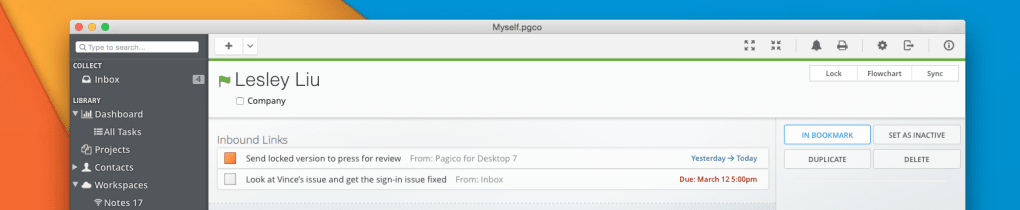
The user interface of Pagico is structured around a clean, modular layout that prioritizes accessibility and workflow efficiency. Main navigation is handled through a sidebar menu, with quick-access tabs for tasks, projects, notes, calendar, and integrations. The dashboard provides a customizable overview of upcoming deadlines, active projects, and recent activity.
Users can switch between list, board, timeline, and calendar views depending on their preferred workflow style. The application supports drag-and-drop functionality for task reordering, file attachments, and note linking, enhancing usability for visual and tactile learners. Navigation is intuitive, with contextual menus and tooltips guiding new users through core functions.
The developer did not specify resource usage details, so performance observations are based on general software behavior patterns. However, the application’s design suggests optimized rendering for responsive interactions, even with large datasets. Stability appears to be a focus, given the emphasis on real-time sync and data integrity.
No reported issues with crashes or freezes were noted in the provided information.
Compatibility & System Requirements
Pagico is available for both Windows and Mac operating systems, supporting modern desktop environments. The software version 2024.1 was released on May 15, 2024, and has an installation size of 237 MB. This indicates a lightweight footprint relative to similar productivity suites.
Platform compatibility information is limited to the two major desktop platforms, with no mention of Linux or other operating systems. The developer did not provide additional system requirements, such as minimum RAM, CPU specifications, or disk space beyond the base installation size. Exact performance details were not specified, and no information was given about background processes or network usage.
Users should verify compatibility with their specific system configurations before installation. The absence of detailed technical specs means that potential users must rely on general compatibility assumptions for their devices.
Pros and Cons
Pros
- Centralized workspace for tasks, notes, projects, and calendars
- Over 250 templates for rapid workflow setup
- 100+ third-party integrations enhance functionality
- Supports collaborative task assignment and tracking
- Real-time synchronization across devices
- Customizable views: list, board, timeline, calendar
- Rich note-taking with attachments and formatting
Cons
- No public information on system requirements or resource usage
- Price point of $99 may be high for individual users
- Limited OS support (no Linux or mobile versions mentioned)
- Exact update frequency and release cycle not disclosed
- No public user reviews or benchmark data available
FAQ Section
Is Pagico compatible with Windows and Mac?
Yes, Pagico is designed to run on both Windows and Mac operating systems. The software is available for desktop use on these platforms, ensuring broad accessibility for users across different environments.
Is Pagico a secure application?
While specific security protocols were not detailed, the software is developed by Pagico Inc. and operates as a desktop application, which typically offers enhanced data privacy compared to cloud-only tools. Users are advised to maintain strong passwords and secure their devices.
How often does Pagico receive updates?
The software version 2024.1 was released on May 15, 2024. However, the frequency of future updates has not been publicly disclosed by the developer.
What type of license does Pagico use?
Pagico is offered as a one-time purchase with a price of $99. The license allows installation on multiple devices, though specific terms were not provided in the available information.
Can I use Pagico offline?
Yes, Pagico supports offline usage. Users can access and edit tasks, notes, and projects without an internet connection. Changes are synchronized when the device reconnects to the network.
Final Thoughts
Pagico presents a compelling case as a modern productivity suite, combining task management, project planning, note-taking, and calendar integration into a unified desktop experience. Its extensive template library and integration ecosystem make it a powerful tool for professionals managing complex workflows. The clean interface and customizable views enhance usability, while the offline functionality ensures flexibility in various work environments.
However, the lack of detailed system requirements and performance data may concern users seeking transparency. At $99, the price is steep for casual users, but justified for teams or individuals requiring an all-in-one solution. The absence of mobile or Linux support limits its reach.
Despite these considerations, Pagico stands out as a robust, feature-rich application for those who value integration, organization, and control. For users ready to consolidate their digital workspace, Pagico offers a strong foundation for long-term productivity.
Download Pagico now







